Your AI agent plans the trip. Waypack keeps it working offline.
Ask Claude, Cursor or any MCP agent to plan a trip “with Waypack”. It researches, builds a detailed mobile guide, and publishes it to your phone, with an offline map of trails and roads, your GPS position, and one-tap hand-off to Google or Apple Maps.
Planning happens where you already think: in your AI agent. Waypack turns the plan into something you can use on a mountain road with zero bars.
Ask your agent
“Plan 3 days in Sequoia over Christmas with a toddler, using Waypack.” It asks a few questions, researches, geocodes every place and computes real routes.
Watch it take shape
Your agent sends a live preview link right away. Open it on your phone or computer: it updates by itself as each day is planned, so you can steer early.
It publishes a trip bundle
When you're happy, a self-contained mobile guide (itinerary, lodging, food, safety, packing, backup plans) plus an offline vector map cut to your trip area.
Download, then go
Open Waypack and tap Download while you have signal. Everything (pages, map, your location) works in airplane mode.
9:41
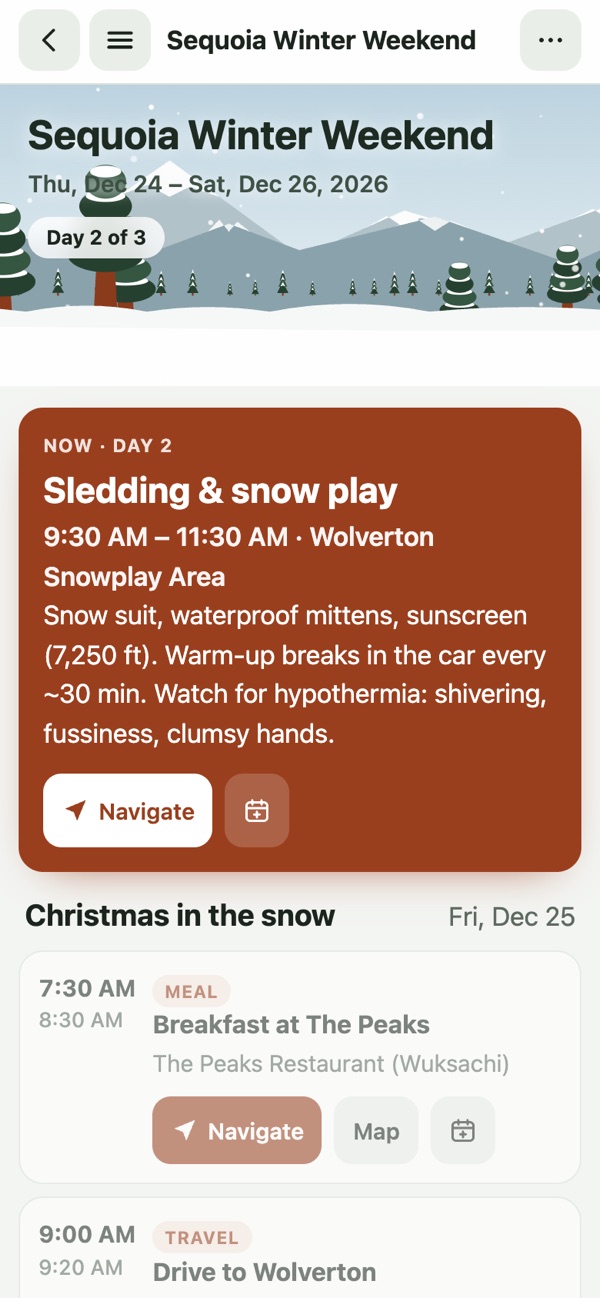
What's next, one tap away
9:41
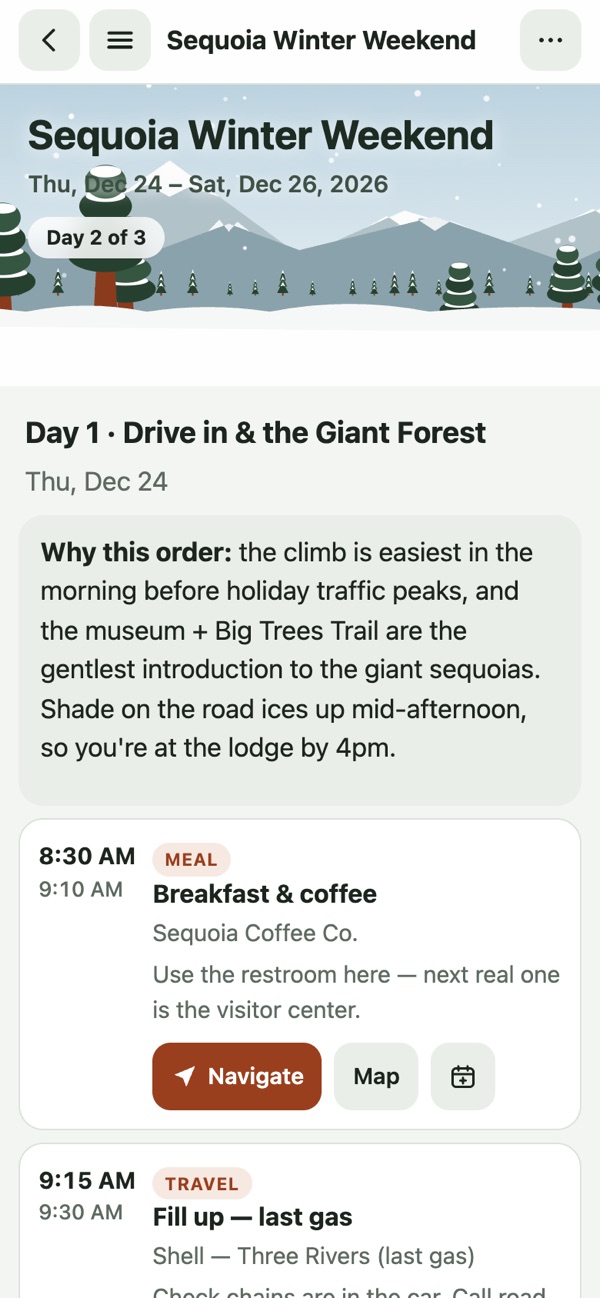
Day-by-day, with the why
9:41
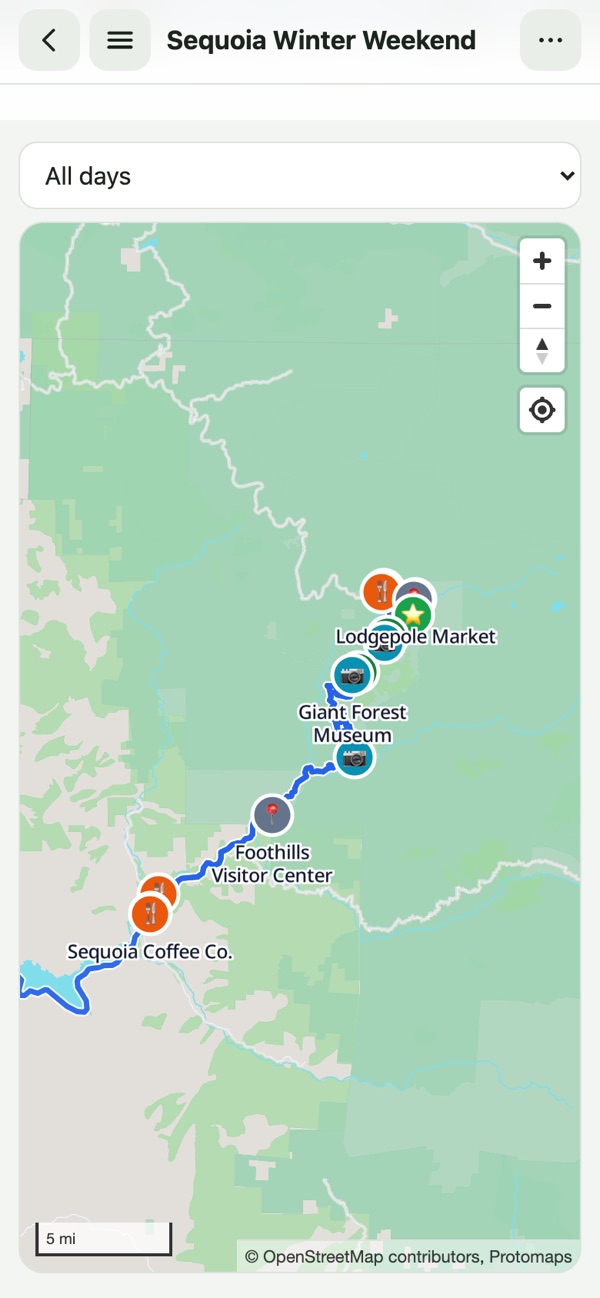
Offline map + GPS
9:41
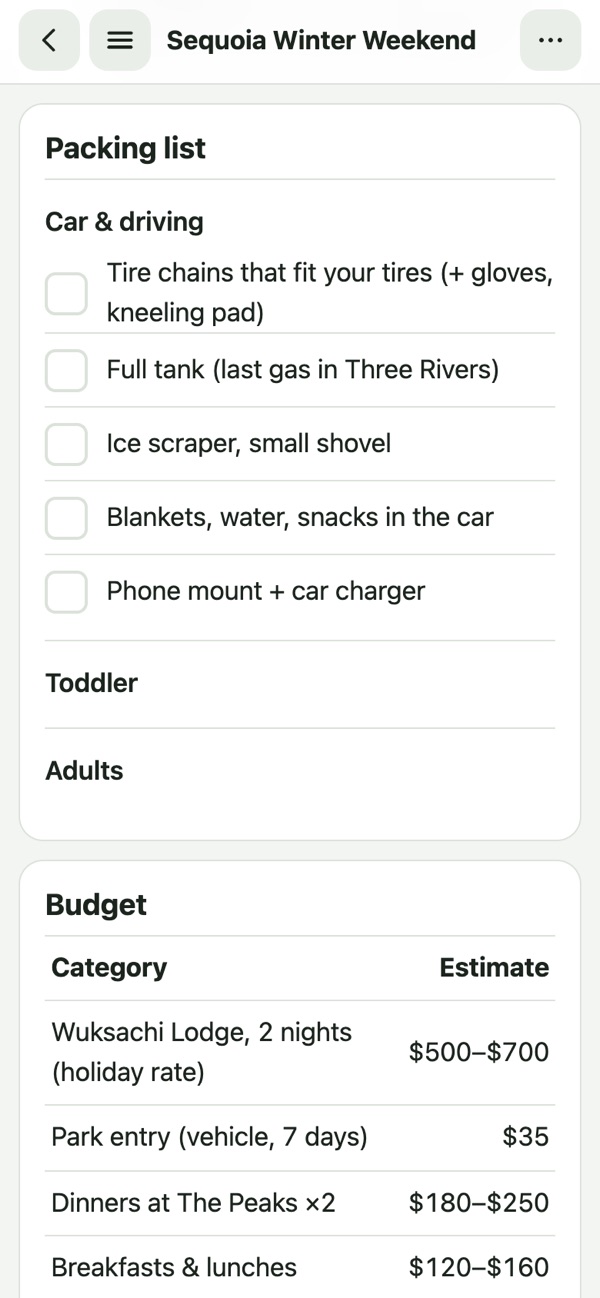
Packing, budget, safety
Built for no-service places
A real offline map
OpenStreetMap trails, roads and labels for your trip area, your planned routes drawn on top, and the blue dot from your phone's GPS. No signal needed.
As detailed as your agent
Not a fixed form. Your agent writes the guide: why this order, where the last gas is, what to do if the road closes, what a toddler needs at 7,000 ft.
Navigate with your maps app
Every place has a Navigate button that hands off to Google Maps or Apple Maps. Download their offline area too, and turn-by-turn works as well.
Native Today view
The app reads the trip's structured data to show what's now and next, even if a guide's layout is unusual.
Reminders before you go
If a trip starts in 3 days and isn't downloaded yet, Waypack reminds you while you still have signal.
Private by default
Trips are private to your account, encrypted in transit, and reachable only through short-lived links. No ads, no tracking in your trip pages.
Connect your agent
Waypack is a remote MCP server; you sign in with Google or Apple, the same account as the app. For the best plans, also install the Waypack skill. It teaches your agent the interview, coverage checklist and bundle format.
Then ask: Plan a weekend in Lake Tahoe in January with Waypack. Sign in with Google or Apple when Claude opens the browser. Claude Code writes the bundle to ./waypack/<trip>/, validates it, and uploads it.
Settings → Connectors → Add custom connector, and paste:
https://waypack.hejitech.workers.dev/mcp
No skill needed: the agent calls get_authoring_guide and uploads with upload_bundle_inline.
On gemini.google.com: Settings → Connected Apps → Custom apps → Add a custom app, paste the URL, click Next and sign in with Google or Apple:
https://waypack.hejitech.workers.dev/mcp
Then type @, pick Waypack, and ask: Plan a weekend in Lake Tahoe in January. Google offers custom apps to personal accounts in the US (18+) with Keep Activity on.
In your Muse chat (iOS, Android, web, or WhatsApp), ask:
Create a custom connector for Waypack with the MCP server at https://waypack.hejitech.workers.dev/mcp using an API key
When Muse prompts for your credential, paste your personal wpk_… token. Generate one in your account → Settings → API tokens. Then ask: Plan a weekend in Lake Tahoe in January with Waypack.
Any client that supports remote MCP over Streamable HTTP with OAuth:
Ready to connect? Your account's Set up tab has ready-to-copy commands with your personal MCP server URL and API tokens.Open Set up
Pricing
You pay for the cloud part: storing your trips and cutting offline maps. The iPhone, Android and Mac apps are free. Subscribe and manage billing from your account.
The Waypack app is a free viewer for iPhone, Android and Mac: sign in with Google or Apple and download your trips. On the Mac, plans open in a desktop layout with the map beside the itinerary. The phone apps are in beta. Join to get the TestFlight / Play testing link.
Mac: macOS 12 or later, Apple silicon or Intel. Free, no purchases in the app.
FAQ
Which AI agents work with Waypack?
Any MCP client that supports remote servers: Claude Code, Claude (web, desktop, mobile) custom connectors, Gemini, Meta Muse, Cursor, and others. The skill improves results in agents that support Agent Skills.
Does the map really work without signal?
Yes, on Pro. When you tap Download, Waypack saves a vector map of your trip area (trails, roads, labels) to your phone. Your location comes from GPS, which doesn't need cell service.
Does Waypack do turn-by-turn navigation?
No. Tap Navigate to hand off to Google Maps or Apple Maps. For offline turn-by-turn, also download their offline area (your trip's checklist reminds you).
Can I edit a trip in the app?
Edits happen in your agent: “move the Sherman Tree visit to the morning”. It re-publishes and the app shows Update available.
Subscriptions are handled on the web by Stripe from your account page, where you can also change your card, download invoices or cancel. The mobile apps are free and never charge you. Cancelling keeps Pro until the end of the paid period; trips you've published stay yours.
What happens to my data?
See the privacy policy. Short version: your trips are private to your account, we don't sell data, and deleting your account deletes your trips and maps.